Help & Support
Get help with N-M to Ft-Lb Converter
Share Your Feedback1. Key Terms
Newton-meter (Nm)
Newton-meter is the SI (International System of Units) unit of torque or moment of force. It represents the torque resulting from a force of one newton applied perpendicularly to a moment arm that is one meter long. One Newton-meter equals one joule of energy.
Foot-pound (ft-lb)
Foot-pound is a unit of torque (or work) in the Imperial and US customary systems of measurement. It represents the torque created by one pound force acting at a perpendicular distance of one foot from a pivot point. It is commonly used in the United States for measuring torque in automotive and mechanical applications.
Torque
Torque is a measure of the rotational force applied to an object. It is the tendency of a force to rotate an object about an axis, fulcrum, or pivot. Torque is crucial in many applications including automotive engineering (engine torque, wheel torque), mechanical engineering (bolt tightening, machinery), and physics calculations.
2. Conversion Formula
Formula
The extension uses precise conversion calculations based on these formulas to ensure accurate results for all conversions.
Conversion Examples
3. How to Use the Extension
Let's set up the N-M to Ft-Lb Converter extension to quickly convert between torque units.
Find the Extensions icon in the browser
Locate the Extensions icon (puzzle piece) in your Chrome browser toolbar. You can also navigate to chrome://extensions/ in your browser address bar, or click the three-dot menu (⋮) in Chrome, go to Extensions → Manage extensions.
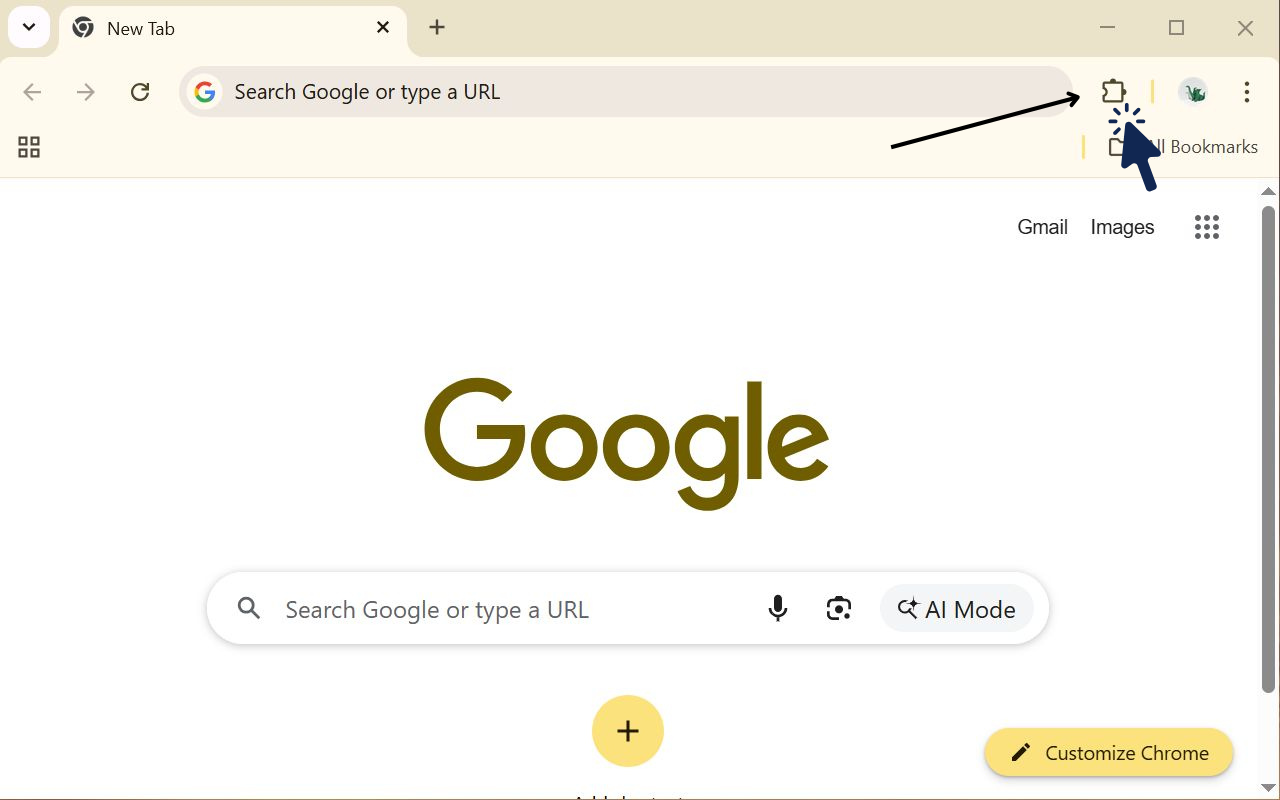
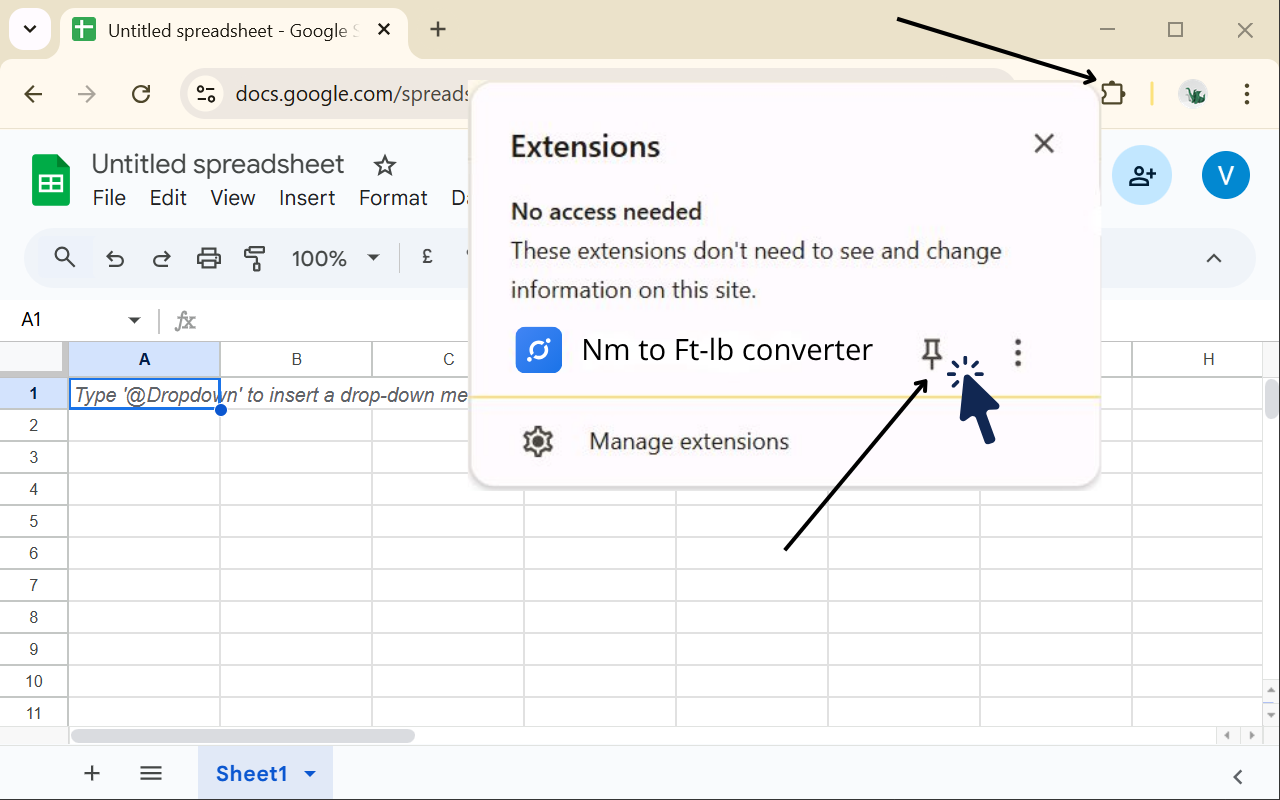
Pin our extension to make it easy to use
Find N-M to Ft-Lb Converter in your extensions list and make sure it's enabled. Then click the puzzle icon (🧩) in the Chrome toolbar and pin the extension icon for easy access.
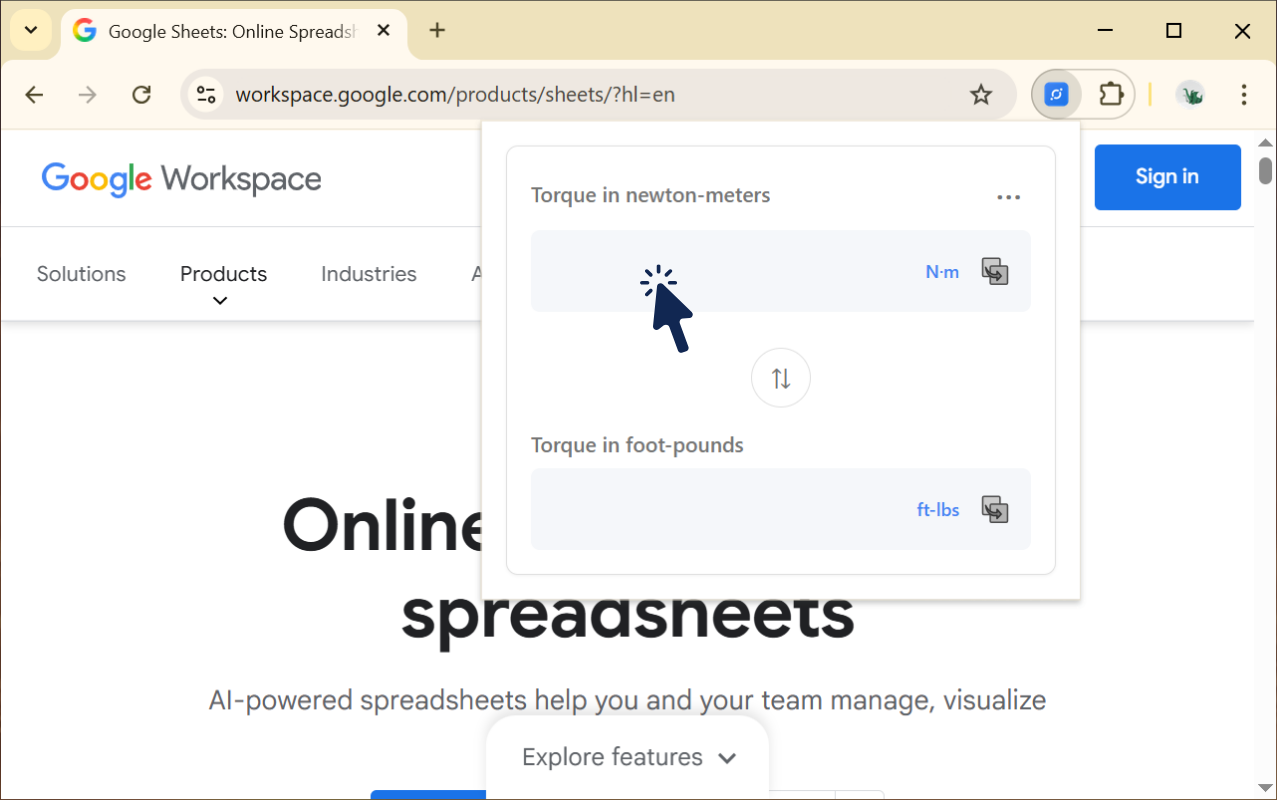
Open the extension by clicking on the application icon
Click the extension icon in your browser toolbar to open the converter popup window.
Enter or paste a number in the field you need
Type or paste the numeric value in the input field. You can enter values in either Newton-meters (Nm) or foot-pounds (ft-lb). The extension automatically detects the unit and converts to the other.
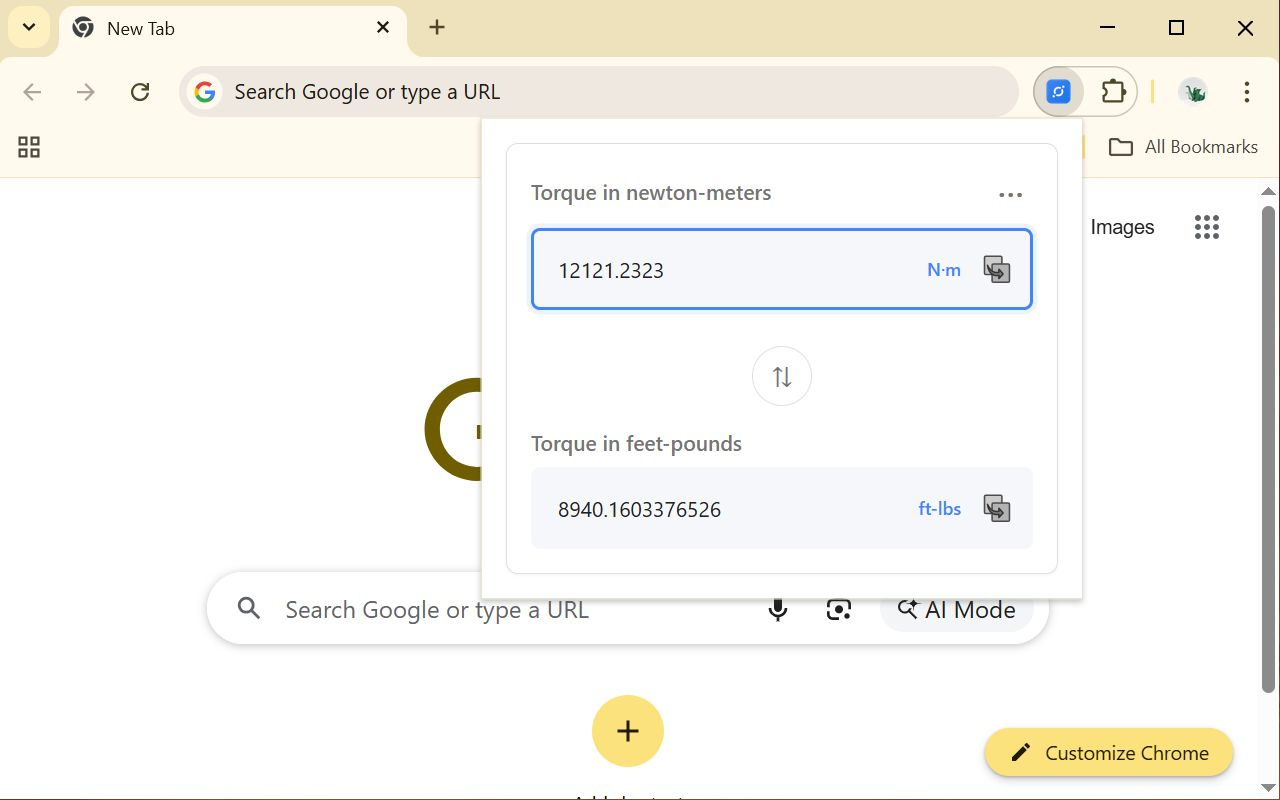
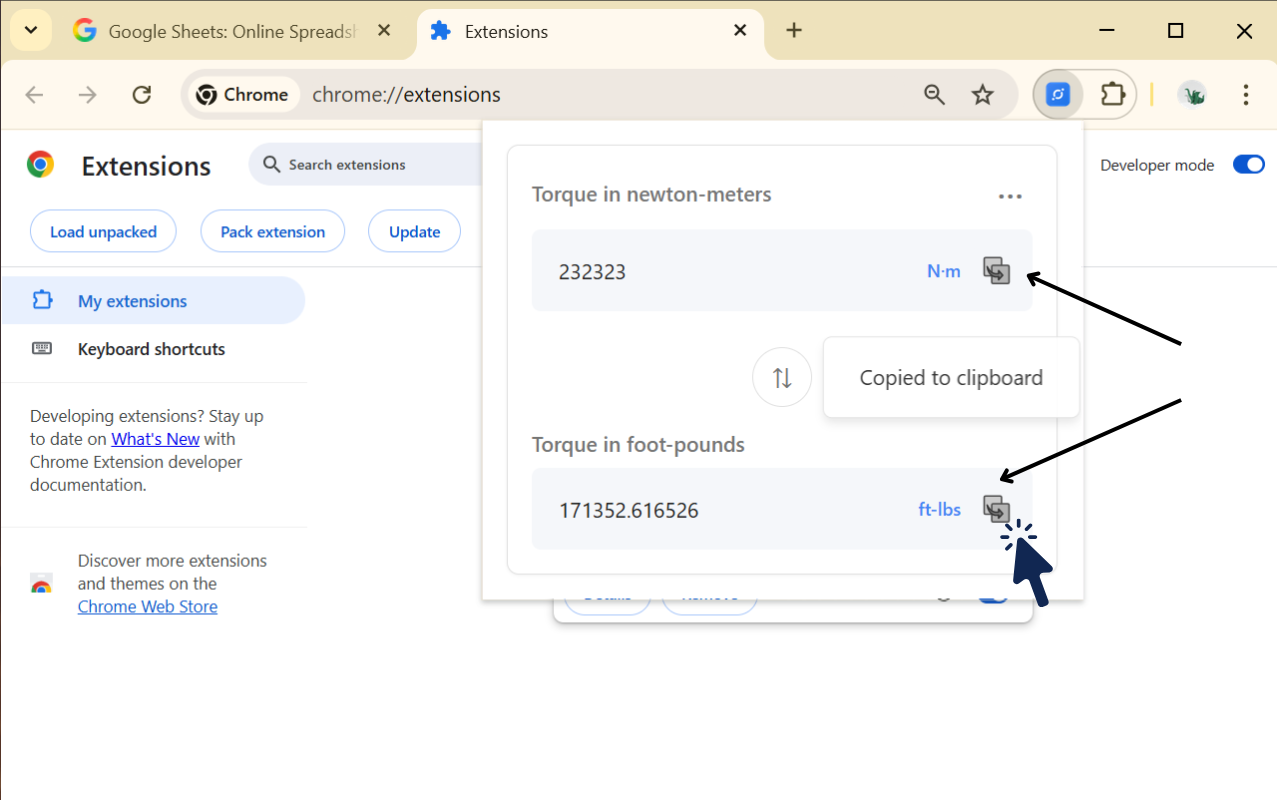
Copy the value if needed
You can copy the value from any field (input or result) by clicking the copy button next to it. The copied value will be available in your clipboard for pasting into other applications.
Swap blocks to change conversion direction
You can swap the input and result blocks by clicking the swap button. This allows you to easily change the conversion direction - convert from Nm to ft-lb or from ft-lb to Nm, whichever is more convenient for your workflow.
Invalid input validation
If you enter an invalid value (non-numeric characters or incorrect format), the input field border will briefly flash red to indicate an error. This visual feedback helps you quickly identify and correct input mistakes.